
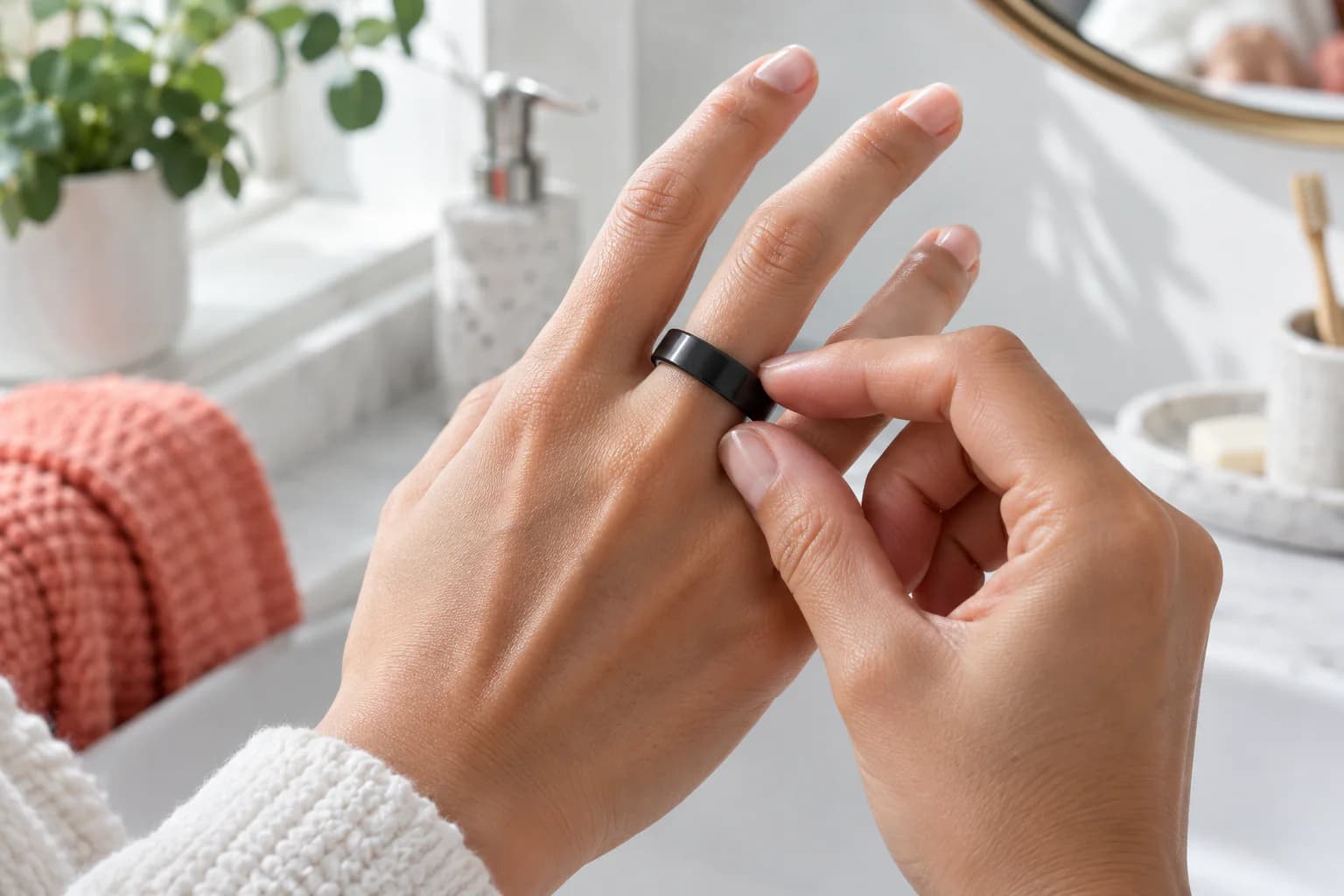
Short answer: A smart ring should be snug enough that its sensing surface stays against your skin and the ring does not spin freely. It should still pass over the knuckle with gentle resistance and remain comfortable through sleep, warm weather and ordinary activity. Pain, numbness, tingling, unusual color, coldness or worsening swelling are not signs of a “more accurate” fit. Remove the ring if any of them occur. If it is stuck and your finger is blue, numb, cold, severely painful or rapidly swelling, seek urgent professional help; do not wait to finish a sizing test.
“Snug, not tight” is correct advice, but it is difficult to use while choosing between two sizes. One person’s snug is another person’s pressure. Finger size also changes throughout the day, so a ring that feels perfect in an air-conditioned shop can become uncomfortable after sleep or exercise.
A better way to choose is to test four separate things:
- Contact: does the sensing area stay against the skin?
- Stability: does the ring resist unplanned rotation and sliding?
- Comfort: can you forget about it during normal work and sleep?
- Safety margin: can the finger expand normally without compression symptoms?
The correct size passes all four. This guide shows how to assess them without assuming that tighter always means better.
The Fit Decision in One Table
| What you observe | Likely fit | What to do |
|---|---|---|
| Stable at the finger base, slight knuckle resistance, comfortable overnight | Appropriate | Keep testing across a full day and night |
| Spins or slides without deliberate effort | Too loose | Try a smaller model-specific size or another finger |
| Small gap appears over the sensors when making a relaxed fist | Probably too loose | Recheck orientation, finger and size |
| Light mark that fades soon, with normal color and sensation | Often acceptable | Monitor it across warm and morning conditions |
| Deep or painful mark that remains | Too tight or poorly shaped for that finger | Remove and try another size or finger |
| Tingling, numbness, throbbing, unusual color or coldness | Unsafe pressure warning | Remove promptly; seek care if symptoms persist |
| Good by day but difficult to remove every morning | Insufficient swelling margin | Test a larger size or a different finger |
| Fit changes dramatically between seasons | Finger circumference is varying | Re-test another finger; do not force one size year-round |
No app score can make an unsafe fit acceptable.
Why Smart-Ring Fit Is Different From Jewelry Fit
A decorative ring can rotate slightly and still look and feel normal. A sensor ring must maintain a predictable relationship between its inner surface and your skin.
Many health-focused rings use reflective photoplethysmography (PPG). LEDs send light into the tissue and detectors observe changes in reflected light associated with the pulse wave. Other components may observe movement and skin temperature. When the ring lifts or rotates, the optical path, pressure and tissue under the sensor can change.
That does not mean the device requires strong pressure. PPG signal quality depends on a usable contact condition, not maximum tightness. Excess pressure can be uncomfortable, alter the local measurement conditions and make consistent wear impossible.
Fit therefore affects three outcomes at once:
- Data continuity: whether the device collects enough usable segments.
- Repeatability: whether each night is measured under reasonably similar contact conditions.
- Adherence: whether you can wear the device long enough for trends to matter.
A tight ring that you remove halfway through the night provides less continuous information than a comfortable ring with stable contact.
The Two-Minute Fit Assessment
Use the actual sizing sample or ring on the exact finger and hand you intend to use.
1. Check its resting position
The ring should sit near the base of the finger without drifting toward the knuckle. If the product has a marked sensor orientation, position it according to the manufacturer’s instructions, commonly toward the palm side.
2. Try the rotation test
Move your hand naturally, then try to rotate the ring with one finger from the other hand.
- Too loose: it spins freely or changes position during ordinary movement.
- Potentially correct: it resists casual movement but can be deliberately adjusted.
- Too tight: turning it pulls painfully at the skin or leaves pressure ridges immediately.
Rotation resistance is useful, but it is not a circulation test. A ring can resist rotation and still be too tight.
3. Make a relaxed fist
Close your hand without squeezing hard. Look for a clear gap between the sensing area and the skin. The ring should remain in contact without pinching sharply or limiting normal finger movement.
This is a contact check, not a challenge to see how hard you can grip.
4. Remove it across the knuckle
The ring should usually need gentle, controlled movement to pass the knuckle. It should not fall off, but removal should not require painful force or several minutes of pulling.
People with a wide knuckle and narrow finger base may struggle to find one perfect size. Another finger can be a better solution than choosing an excessively tight base fit.
5. Check sensation and color
After several minutes, the finger should have normal color, warmth, movement and sensation. Tingling, numbness, throbbing or unusual coldness disqualifies the fit.
This short test only screens obvious problems. It cannot replace a full-day and overnight trial.
What a Correct Fit Feels Like
A well-fitted smart ring is noticeable when you intentionally check it but easy to ignore during routine activity.
Useful signs include:
- It remains at the finger base.
- The sensing area stays in the intended orientation.
- It does not rotate every time you type, walk or turn in bed.
- It passes the knuckle with gentle resistance.
- You can make a fist and fully extend the finger.
- You can sleep without waking because of pressure.
- Morning removal is possible without pain or panic.
- Skin color, temperature and sensation remain normal.
Data completeness can support this assessment, but it should not be the first test. Comfort and safety come before graphs.
Signs the Ring Is Too Loose
The ring is probably too loose when:
- It spins without deliberate effort.
- It slides toward the knuckle during ordinary hand movement.
- The sensor area repeatedly moves away from its intended position.
- A visible gap appears during the relaxed-fist test.
- It feels at risk of slipping off while drying your hands.
- Nighttime records repeatedly contain gaps after battery and syncing problems are excluded.
A ring can also feel loose only when your hands are cold. Cold can reduce finger circumference and peripheral blood flow at the same time, so both physical contact and optical signal quality may change.
Do not correct looseness with tape or an unapproved generic insert. An insert can block sensors, trap moisture, create uneven pressure or interfere with charging. Use only model-specific accessories placed exactly as the manufacturer allows.
Signs the Ring Is Too Tight
Pressure is excessive when you notice any of the following:
- Pain, throbbing or increasing pressure.
- Tingling, pins and needles or numbness.
- Unusual coldness below the ring.
- Pale, blue, grey or otherwise unusual skin color.
- Swelling that increases around the ring.
- Difficulty bending or straightening the finger normally.
- A deep, tender indentation that persists.
- Removal that becomes painful or unusually difficult after sleep, heat or exercise.
Remove the ring if these symptoms develop. If normal color and sensation do not return, swelling continues, or the ring cannot be removed safely, seek appropriate medical help rather than repeatedly pulling or using tools that could injure the finger.
Should a Smart Ring Leave a Mark?
A faint, short-lived outline can occur after hours of wear. Skin and soft tissue compress slightly, especially after sleep or in warm conditions. A mark alone does not prove the ring is too tight.
Use a four-part check:
| Question | Reassuring finding | Concerning finding |
|---|---|---|
| How deep is the mark? | Light outline | Deep groove or raised swelling |
| How long does it last? | Fades reasonably soon | Persists or worsens |
| How does it feel? | No pain or altered sensation | Tenderness, tingling or numbness |
| What does the finger look like? | Normal color and movement | Pale, blue, cold or difficult to move |
There is no universal number of minutes after which a mark becomes safe or unsafe, and a photograph cannot establish normal circulation. Sensation, color, swelling, pain and removal difficulty matter more than the outline alone. A photo may help describe a recurring problem to support or a clinician, but should not delay care.
Why Your Finger Size Changes
Fingers are not fixed cylinders. Circumference can change because of:
- Heat and cold.
- Exercise and increased blood flow.
- Sleep and overnight fluid redistribution.
- Hydration and dietary sodium.
- Prolonged sitting and travel.
- Hormonal changes.
- Temporary inflammation or injury.
- Some health conditions and medicines.
The direction and amount differ by person. This is why a one-time string measurement is unreliable. String also does not reproduce the width, rigidity or internal sensor bumps of a real smart ring.
If swelling is new, marked, one-sided, painful or persistent, do not treat it only as a sizing problem. Remove jewelry and seek appropriate health advice.
The 24-Hour Sizing Protocol
Major ring manufacturers recommend testing their model-specific sizing sample for at least a full day and night. A longer trial can be useful if your routine or climate varies.
Before starting
- Choose the exact finger and hand you plan to use.
- Test the manufacturer's sizing sample, not a generic jewelry gauge alone.
- Confirm the sample's orientation if it has sensor bumps.
- Do not start when the finger is injured or unusually swollen.
Keep a simple fit diary
| Checkpoint | What to record |
|---|---|
| Morning after waking | Removal difficulty, swelling, marks, sensation |
| Midday desk or household work | Rotation, distraction, contact gap |
| After handwashing | Slipping, trapped moisture, skin comfort |
| After light activity | Pressure change and ease of movement |
| Warmest part of the day | Tightness and finger color |
| Before sleep | Baseline comfort |
| During the night | Any awakening caused by pressure or tingling |
What counts as a pass
The size passes when it remains stable without producing pressure symptoms at every checkpoint. It should not pass only when your hands are cold or only after you force it across the knuckle.
Compare the neighboring size
When uncertain, test both neighboring sizes for the same duration. If the larger one rotates and the smaller one becomes uncomfortable, compare another index, middle or ring finger. The answer may be a different finger, not a compromise that is both loose sometimes and unsafe at others.
Two sizes both seem wrong: work through this example
Suppose size 9 passes the knuckle easily but spins at the base, while size 8 stays aligned but becomes painful after sleep. Neither has passed the fit check. Choosing size 8 because its graph has fewer gaps trades comfort and safety for an unproven accuracy benefit.
Try a different suitable finger with the model-specific sizing samples. If neither size fits that finger safely across normal daily changes, ask support about the available size range rather than forcing a compromise. This is an illustrative decision, not a claim that a particular numbered size will fit your hand.
Before ordering, confirm three separate details: the model and generation, the size label, and the intended finger. A matching size number on a jewelry ring or another brand's kit does not establish the same usable internal fit. Consult the EnergyMo size guide for the actual model rather than converting a circumference measurement into a purchase without checking the chart.
What to Do When You Are Between Sizes
There is no safe universal rule to size down.
Use this order of decisions:
- Test both sizes with the official kit.
- Compare them over a day and night, including the warmest and fullest-finger periods.
- Try the same sizes on another suitable finger.
- Prioritize normal circulation, sensation and overnight comfort.
- Then choose the option with the more stable sensor contact.
Do not assume ordinary jewelry size transfers directly. A wide band feels tighter than a narrow band, and internal sensor structures reduce usable space.
If your size is unavailable, wait or choose a compatible finger. An unsafe fit is not repaired by better software.
Choosing the Finger and Hand
The index finger is a common starting recommendation, but the middle or ring finger can work well when the contact is more stable. The best candidate is the finger that:
- Holds the ring without free rotation.
- Has enough room for normal swelling.
- Does not interfere with grip or adjacent fingers.
- Remains comfortable overnight.
- Allows the ring to pass the knuckle safely.
The non-dominant hand can reduce impacts and frequent gripping for some users, but it is not automatically more accurate. Corresponding fingers on the two hands can be different sizes, so test the exact hand.
If you change fingers, note the date. A change in contact and habitual movement can create a data shift that looks physiological.
How Fit Affects Each Metric
Heart rate
An optical gap or repeated rotation can weaken the pulse waveform. Excess pressure does not guarantee a better waveform and may change local tissue conditions.
HRV
PPG-derived HRV depends on precise pulse timing. Missed or extra detected pulse peaks can matter more here than they do for an average heart-rate value. Nighttime stillness helps, but stable contact remains important.
Blood-oxygen-related trends
Motion, poor contact, cold skin and low peripheral perfusion can affect optical oxygen estimates. A general wellness ring is not a substitute for clinical assessment or an appropriately cleared medical device.
Skin temperature
Contact changes can alter the measurement conditions. Consistent placement helps comparison, but the value remains a skin-temperature trend rather than core body temperature.
Sleep and recovery scores
These are derived outputs that depend on several underlying signals. Better fit can reduce avoidable data loss; it cannot turn a consumer algorithm into a diagnostic sleep study.
Missing Data Does Not Always Mean the Ring Is Loose
Before changing size, check the full troubleshooting chain.
| Pattern | Possible causes | First check |
|---|---|---|
| Entire night missing | Battery, recording disabled, sync or account problem | Battery history, app permissions and sync status |
| Short gaps during movement | Motion artifact or temporary contact loss | Orientation and whether the ring rotated |
| Gaps mainly on cold nights | Reduced peripheral perfusion or looser cold-weather fit | Hand warmth and repeated pattern across nights |
| One metric missing, others complete | Feature setting, sensor requirement or algorithm threshold | Product support and app settings |
| Data changed after an update | Firmware or algorithm change | Release notes and update date |
| Gaps continue despite stable fit | Hardware, skin contact or software issue | Clean sensors and contact product support |
Changing to a smaller ring before checking battery and software can create a new safety problem without fixing the original cause.
Skin Care and Long-Term Comfort
Remove the ring periodically to clean and dry both the inner surface and the finger. Soap, sweat, lotion and trapped moisture can irritate skin or change how the ring moves.
Stop wearing it over broken, inflamed or infected skin. If redness or itching repeatedly returns, discontinue use and seek suitable advice. Material sensitivity, friction and moisture may require different solutions.
Alternating fingers can give skin time to recover, but frequent switching makes trend comparison less consistent. If you switch, record when and why.
When to Remove a Smart Ring
Remove it for situations where a rigid ring may catch, crush or concentrate force, including:
- Weightlifting and gripping metal bars.
- Climbing.
- Contact sports.
- Work near rotating machinery.
- Handling heavy tools, stone or metal.
- Any workplace that restricts jewelry.
Also remove it when the finger is injured, swelling is increasing, skin remains wet, irritation develops, or a healthcare professional asks you to remove jewelry.
Continuous data is never worth a finger injury.
EnergyMo SmartRing Fit Checklist
For EnergyMo SmartRing, choose the size and finger that provide steady contact rather than strong pressure.
Before confirming your size, verify that the ring:
- Sits securely near the base of the index, middle or ring finger.
- Keeps the sensing area oriented as instructed.
- Resists casual rotation.
- Passes the knuckle with gentle resistance.
- Remains comfortable during a relaxed fist test.
- Stays comfortable through daytime activity and sleep.
- Can be removed in the morning without pain or prolonged force.
Use the EnergyMo sizing sample on the intended finger for at least 24 hours. Review the current EnergyMo sizing guide and product details because model-specific instructions should take precedence over general advice.
Frequently Asked Questions
How tight should a smart ring be?
It should resist casual rotation and keep the sensors against the skin, while allowing normal finger color, warmth, sensation and movement. It should never cause pain, numbness, tingling or worsening swelling.
Should I be able to rotate my smart ring?
You should be able to adjust it deliberately with the other hand. It should not spin freely during ordinary movement or repeatedly turn its sensors away from the intended position.
Is it normal for a smart ring to leave a mark?
A light outline that fades reasonably soon and is not painful can be normal. A deep, tender or persistent groove, especially with numbness, swelling or color change, indicates that the fit needs attention.
Should I size down for better accuracy?
Not automatically. Smaller is useful only if it preserves comfortable, safe contact. If one size rotates and the next causes pressure symptoms, test another finger instead of accepting an unsafe fit.
Why is my smart ring tighter in the morning?
Fluid redistribution, temperature and sleeping position can make fingers fuller overnight. This is why the final size should be worn during sleep before purchase.
Can a loose ring cause missing data?
Yes. Rotation and loss of contact can reduce usable sensor data. Battery, cold hands, movement, settings, syncing and firmware can also cause gaps, so check those before changing size.
Can I use a ring adjuster inside a smart ring?
Only use an accessory approved for that exact product and placement. Generic inserts or tape can block sensors, trap moisture, create uneven pressure or interfere with charging.
What should I do if the ring is stuck?
Stop pulling repeatedly if the finger is becoming more swollen or painful. Remove it promptly using safe first-aid guidance, and seek urgent professional help when there is altered color or sensation, significant injury, worsening swelling, or the ring cannot be removed safely.
Sources and Editorial Notes
For ring-related swelling and urgent warning signs, see East Kent Hospitals: injured finger aftercare. This is injury guidance, not validation of smart-ring accuracy.
Fit advice must balance signal contact with circulation and skin safety. Manufacturer guidance applies to the geometry of its own product; a size number from one brand does not reliably transfer to another.
Sources reviewed:
- Oura: How to Choose the Right Ring Size
- Samsung: How to Find the Right Galaxy Ring Size
- Samsung: Loose Fit and Missing Health Data
- NHS patient guidance: finger injury and circulation warning signs
- FDA: Pulse Oximeter Basics and measurement limitations
- Wearable PPG technology for cardiovascular monitoring
Last reviewed: October 19, 2026. This article provides general education and safety guidance. It does not replace medical assessment for injury, circulation symptoms or persistent swelling.