
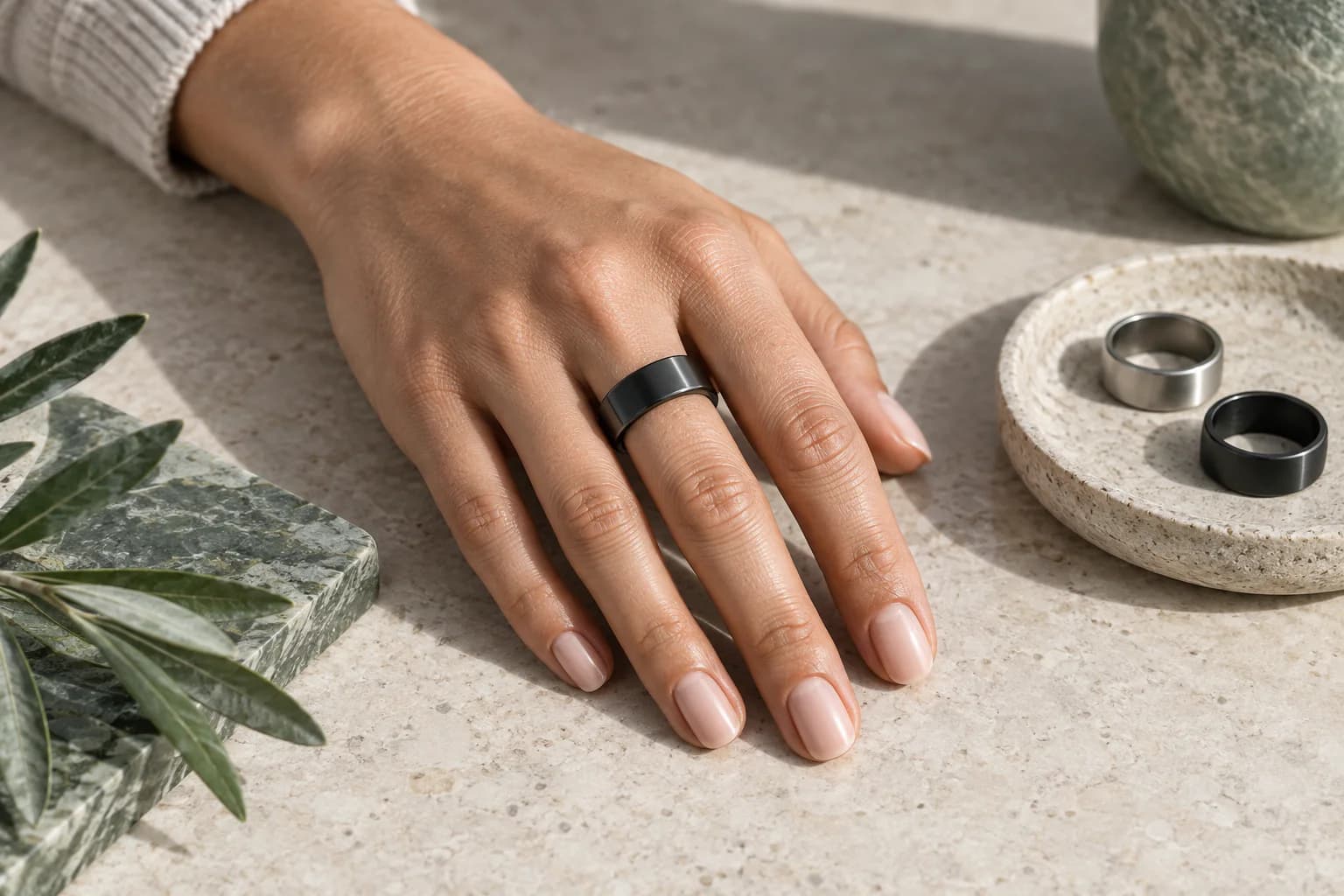
Quick answer: Try your smart ring on the index finger first if your model's instructions recommend it. The middle or ring finger can be a better choice when they provide a secure, comfortable fit. Use the exact model's sizing kit, check orientation, and test through a normal day and night before choosing. There is no universal left-hand or right-hand rule.
If an index-finger ring spins while a middle-finger ring stays comfortably aligned, following the finger recommendation alone misses the point. Start with the manufacturer's instructions, then check whether that placement works on your hand.
This guide explains how to choose between fingers, what to do when your knuckle and finger base need different sizes, and why a full graph in an app is not proof of measurement accuracy.
The Decision in 30 Seconds
| If this describes you | Best starting point | What to verify |
|---|---|---|
| You want the usual first recommendation | Index finger, non-dominant hand | No rotation, comfortable fist, stable overnight fit |
| The index finger interferes with gripping or typing | Middle finger | Sensor area stays on the palm side and does not shift |
| You already tolerate rings well on the ring finger | Ring finger | The base is not too narrow and the ring does not spin |
| Your fingers swell noticeably overnight | The middle-three finger with the safest all-day fit | Easy morning removal, no numbness or discoloration |
| Your job or training involves tools, weights or machinery | Remove the ring for those activities | Safety takes priority over data continuity |
| Two fingers both feel suitable | Use the fit-observation checklist below | Compare missing data, rotation, comfort and repeatability |
The thumb and little finger are usually fallback choices rather than first choices. Their shape, size or role in gripping may make stable, unobtrusive contact harder, depending on the device and the person.
Why Finger Choice Can Affect a Smart Ring's Data
Most health-tracking rings use reflective photoplethysmography, or PPG. An LED sends light into tissue and a photodetector measures changes in the returning light. Part of that signal changes with the pulse-related variation in local blood volume. Algorithms then combine the optical waveform with timing, movement and other sensor data to estimate supported metrics.
This is both an optical problem and a mechanical problem.
For the optical part, the device needs a usable pulse waveform. For the mechanical part, the sensor and skin need to remain in a sufficiently stable relationship. A small change in position, pressure or ambient-light leakage can alter the light path. Hand movement can also overlap with the frequency content the algorithm is trying to interpret.
The scientific literature on wearable PPG repeatedly identifies several relevant sources of error:
- Motion between the sensor and skin.
- Inconsistent contact pressure.
- Low peripheral perfusion, including cold hands.
- Changes in measurement location.
- Ambient light reaching the detector.
- Individual anatomy and tissue characteristics.
- Algorithm and wavelength choices that differ between devices.
That is why a ring that merely stays on the hand is not necessarily fitted well enough for every measurement.
Contact must be stable, not forceful
More pressure is not automatically better. Too little contact can allow movement and light leakage. Excessive pressure can be uncomfortable and can change local tissue and blood-flow conditions. The useful zone is stable contact without pain, numbness, throbbing or impaired circulation.
The goal is not to clamp the ring in place. It is to minimize uncontrolled movement while preserving normal comfort and circulation.
Rotation matters because the sensing surface has an intended position
Many rings place sensors or raised components on the palm side of the finger. When a loose ring rotates, the optical path and local tissue under the sensor change. A 2025 smart-ring sensor study specifically investigated rotation robustness, which is a useful reminder that rotation is a real engineering problem rather than a cosmetic detail.
Some devices compensate for limited movement better than others. That does not make fit irrelevant. A product-specific algorithm may reject noisy segments, but rejected data can appear as gaps or reduce the amount of usable information.
What do manufacturers actually recommend?
Recommendations belong to the specific device, not to smart rings as a category:
- Oura: Its official sizing guide recommends the index finger for best accuracy, with the middle or ring finger as alternatives. Use the sizing kit for the correct generation.
- Samsung Galaxy Ring: Its wearing instructions emphasize a gap-free fit, the orientation indicator toward the palm, and the non-dominant hand to reduce scratching. These are Galaxy Ring instructions, not evidence of another brand's performance.
- EnergyMo: Use the EnergyMo size guide and the instructions supplied with your Pro or Young model. Do not assume another manufacturer's size number, sensor orientation or validation applies to your ring.
These examples explain why a universal ranking such as "index first, middle second, ring third" is too rigid. A manufacturer's preferred finger is a starting point; an unsafe or rotating fit is a reason to reassess it.
Is the Index Finger Really the Most Accurate?
The index finger is the best starting recommendation, not a scientifically guaranteed winner for every user and every smart ring.
Why it is commonly recommended:
- It often provides a broad contact area near the base of the finger.
- Available ring sizes frequently fit it securely.
- It is easy to check sensor orientation.
- Manufacturers can give one simple instruction that works for many hands.
What the recommendation does not prove:
- That every index finger has better circulation than every middle or ring finger.
- That all ring models were independently validated on all three fingers.
- That a loose index-finger fit outperforms a stable middle-finger fit.
- That one hand is universally more accurate than the other.
Direct, device-independent trials comparing the index, middle and ring fingers under identical real-world conditions are limited. Validation results from one model should not be transferred automatically to another because sensor geometry, wavelengths, sampling, firmware and signal-quality rules differ.
So use the index finger as the first candidate, then test whether it actually satisfies the conditions the sensor needs.
When the Middle Finger May Be Better
The middle finger is often the strongest alternative. On some hands it has a more uniform shape between the knuckle and finger base, which can make the ring easier to size. It may also rotate less than it does on a narrower ring finger.
The middle finger deserves serious consideration when:
- The index finger feels crowded against the thumb during gripping.
- Typing, steering or carrying bags makes the index placement distracting.
- The ring sits flatter and rotates less on the middle finger.
- The correct size passes over the knuckle but remains secure at the base.
- Overnight comfort is clearly better.
A middle-finger placement is not a compromise if it produces more stable contact and encourages consistent wear. In practical monitoring, complete repeatable data can be more valuable than following a nominally preferred location with a poor fit.
When the Ring Finger Can Work Well
The ring finger can be a good choice, especially for someone accustomed to wearing jewelry there. It is often less noticeable during ordinary tasks.
Its main potential weakness is geometry. For some people, the base of the ring finger is narrower than the knuckle, so a size that passes the knuckle can feel loose once seated. That creates rotation and an intermittent gap over the sensor.
Use the ring finger only if all four checks pass:
- The ring remains at the base rather than drifting toward the knuckle.
- It does not spin freely during sleep or routine movement.
- Making a relaxed fist does not reveal a clear gap above the sensing area.
- Morning removal is possible without pain, prolonged marks or force.
Avoid placing a smart ring directly against another ring when the two surfaces rub, trap moisture or push the sensor out of position.
Does the metric change which finger is best?
There is no established universal rule to put a ring on one finger for heart rate and another for sleep. Instead, ask what each output requires. Beat-to-beat timing used for HRV-related analysis is more sensitive to missed or misplaced pulse peaks than an averaged pulse value. Sleep and recovery scores are downstream estimates: changing a finger cannot independently validate the algorithm.
Cold hands, movement and poor contact can affect optical measurements. The FDA's pulse-oximeter guidance explains important limitations; it is not a validation of a wellness ring. Do not change fingers until an oxygen reading looks reassuring or use a consumer ring to rule out a medical problem.
Dominant or Non-Dominant Hand?
Either hand can work. The non-dominant hand is often a practical starting point because it may experience fewer impacts, less repetitive tool use and less forceful gripping.
That is a durability and motion argument, not a guarantee of better physiology.
Choose the dominant hand instead when it provides a clearly better fit or when the non-dominant placement interferes with a specific activity. Remember that corresponding fingers can differ in circumference between hands. Size the exact finger and hand you plan to use.
If you change hands, record the date. A change in fit, contact pressure or habitual movement can create a shift that looks physiological even when it is partly measurement-related.
A Better Fit Test Than “It Feels Fine”
A ten-minute fitting cannot represent a warm afternoon, a cold morning, exercise and overnight swelling. Test the actual size for at least 24 hours before purchase. If two fingers seem equally suitable, compare comfort and recording continuity without treating app scores as an accuracy benchmark.
A practical fit-observation checklist
Begin with the correct sizing sample, not an unrelated jewelry ring. Wear it during ordinary tasks and at least one night, following the manufacturer's sizing instructions. Do not deliberately exercise or heat your hands to force a fit.
- At rest: Check that the ring sits at the finger base, does not spin freely, and keeps its sensing area in the model's intended position.
- During ordinary movement: Type, wash and dry your hands, and carry everyday objects. Notice whether the ring shifts or presses against adjacent fingers.
- After sleep: Check comfort and whether you can remove it with gentle resistance. Pain, tingling or discoloration means the fit is unsuitable, regardless of what the app reports.
- With the actual device: Check for repeated missing recording periods. Before blaming fit, rule out charging, synchronization and feature settings.
If two fingers both fit safely, observe them on separate ordinary days. Treat this as a comfort and recording-continuity check, not a controlled experiment. There is no validated three-night scoring threshold that establishes the most accurate finger.
Do not choose the finger that gives the highest sleep score, lowest heart rate or most reassuring oxygen value. Physiology changes between nights, and a smoother graph may reflect filtering rather than better measurement. Clinical accuracy requires comparison with an appropriate reference, not an A/B comparison of app scores.
How to Diagnose a Finger or Fit Problem
| What you notice | Likely explanation | What to try next |
|---|---|---|
| Ring spins during normal movement | Size too large or finger base too narrow | Try another middle-three finger or a smaller sizing sample |
| Data gaps mostly during activity | Motion artifact or temporary loss of contact | Check orientation; remove for heavy gripping; compare non-dominant hand |
| Data gaps mostly on cold nights | Reduced peripheral perfusion or loose cold-weather fit | Warm hands naturally, verify fit, compare several nights |
| Deep marks, tingling or throbbing | Excessive pressure or swelling | Remove the ring and reassess size; do not prioritize data over circulation |
| Good daytime fit, difficult morning removal | Overnight swelling | Test a safer size or alternative finger through a full night |
| Ring shifts toward the knuckle | Base fit is not secure | Compare middle or index finger; test the exact intended finger for 24 hours |
| Sudden trend change after switching fingers | Measurement conditions changed | Record the switch and establish a new multi-night baseline |
| Frequent skin irritation | Moisture, friction, residue or material sensitivity | Remove, clean and dry ring and skin; stop use if irritation persists |
Before blaming the finger, also check battery level, synchronization, firmware, app permissions and whether the device was actually recording the relevant feature.
Snug is not the same as tight
A suitable ring resists casual rotation, stays at the base and comes off with gentle resistance. A gap or free spinning suggests loose contact; pain, tingling, numbness, throbbing, discoloration or persistent deep marks are reasons to remove it. If symptoms persist, seek medical advice. Our separate smart-ring tightness guide covers sizing in more detail.
Activities That Can Override the “Best Finger” Decision
No finger is safe for every task. Remove a rigid ring when it could catch, crush or concentrate force, including:
- Weightlifting and gripping metal bars.
- Climbing.
- Work around rotating machinery.
- Contact sports.
- Handling heavy tools or loads.
- Situations covered by workplace jewelry restrictions.
Also remove or pause wear when swelling, an injury, a rash or prolonged moisture makes the fit unsafe. Missing one measurement period is preferable to injuring the finger.
Should You Switch Fingers Regularly?
You can switch when swelling, skin recovery or an activity makes the usual placement unsuitable. Constant switching for no clear reason makes personal trends harder to interpret because it changes the measurement interface.
If you do switch:
- Use a finger that independently passes the fit test.
- Keep the sensor in the correct orientation.
- Record the change in your notes.
- Avoid drawing conclusions from the first night after the switch.
- Compare several nights before deciding that a physiological trend changed.
The EnergyMo Wearing Recommendation
For EnergyMo SmartRing, begin with the index finger on the non-dominant hand. Compare the middle and ring fingers if either gives a more stable and comfortable fit. The sensing area should remain aligned according to the instructions supplied with the current model.
Use the sizing sample on the exact finger and hand you intend to wear. Test daytime tasks and at least one full night before confirming the size. If two placements remain plausible, compare comfort and recording continuity using the checklist above; do not interpret that comparison as an accuracy test.
Do not choose a finger only because a photograph looks right. The best placement is the one you can wear safely and consistently while the ring maintains repeatable contact.
What the Evidence Supports—and What It Does Not
The evidence supports these conclusions:
- Finger-based PPG can provide useful pulse information when contact and signal quality are adequate.
- Motion, sensor displacement, pressure, perfusion and temperature can affect optical measurements.
- Ring rotation is a recognized sensor-design challenge.
- Stable, comfortable contact is necessary for sustainable overnight monitoring.
- Device-specific validation matters; results cannot automatically be generalized across brands.
The evidence does not support these absolute claims:
- The index finger is always the most accurate for every person.
- A tighter ring always produces better data.
- A complete app graph proves clinical accuracy.
- One night is enough to identify a reliable physiological change.
- A consumer wellness ring can diagnose a medical condition from finger choice or trend data.
That distinction is important. A useful wearing recommendation should reduce avoidable measurement problems without pretending that fit alone validates the device.
Frequently Asked Questions
Which finger is most accurate for a smart ring?
The index finger is the usual starting point, but accuracy depends on device design and the quality of sensor contact. A securely fitted middle or ring finger may produce more complete, repeatable data than a loose index finger.
Is the index or middle finger better for a smart ring?
Choose the index finger when it remains aligned and comfortable during sleep and daily tasks. Choose the middle finger when it rotates less, interferes less with gripping or provides a safer overnight fit. Test both rather than relying on the finger name.
Can I wear a smart ring on my ring finger?
Yes, if the ring stays at the finger base, does not spin freely and remains comfortable overnight. Be especially careful when the knuckle is much wider than the base because that shape can make sizing difficult.
Should a smart ring be on the dominant hand?
Either hand can work. The non-dominant hand is often recommended to reduce impacts and repetitive movement, but a clearly better fit on the dominant hand may be more practical. Size each hand independently.
How tight should a smart ring be?
It should resist casual rotation while remaining comfortable. It should not cause pain, numbness, throbbing, discoloration or persistent deep marks. Stable contact is the goal, not maximum pressure.
Does changing fingers change smart-ring readings?
It can change contact pressure, motion patterns, temperature exposure and local optical conditions. Record a finger change and compare several nights before interpreting a shift as physiological.
How long should I test a smart-ring finger?
Test a sizing sample for at least 24 hours, including sleep. If two fingers fit, observe comfort, rotation, morning removal and recording continuity on ordinary days. No fixed number of nights proves which finger is clinically more accurate.
Sources and Evidence Notes
- Charlton PH, et al. Wearable Photoplethysmography for Cardiovascular Monitoring. Review of PPG acquisition, motion artifact, perfusion and signal-quality assessment.
- Fine J, et al. Sources of Inaccuracy in Photoplethysmography for Continuous Cardiovascular Monitoring. Review of individual, physiological and external sources of PPG error.
- Castaneda D, et al. A Review on Wearable Photoplethysmography Sensors. Discussion of sensor displacement, contact pressure, wavelength and motion.
- The 2023 Wearable Photoplethysmography Roadmap. Technical review including motion artifacts in ring- and watch-type wearables.
- Wang M, et al. Development of a Rotation-Robust PPG Sensor for a Smart Ring. Device research focused on changes caused by ring rotation.
- U.S. Food and Drug Administration. Pulse Oximeter Basics. Limitations affecting pulse-oximetry measurements, including movement, perfusion and skin temperature.
Evidence note: Research describing PPG in general explains why contact, motion and perfusion matter. It does not prove that one finger is universally best for every smart-ring model. Product-specific performance requires product-specific validation.
Wellness notice: EnergyMo SmartRing supports general wellness awareness and trend tracking. It is not intended to diagnose, treat, cure, prevent or predict disease, and it does not replace professional medical advice or clinical testing.